
Scanning cards
How to scan Pokémon cards with your phone and see their value
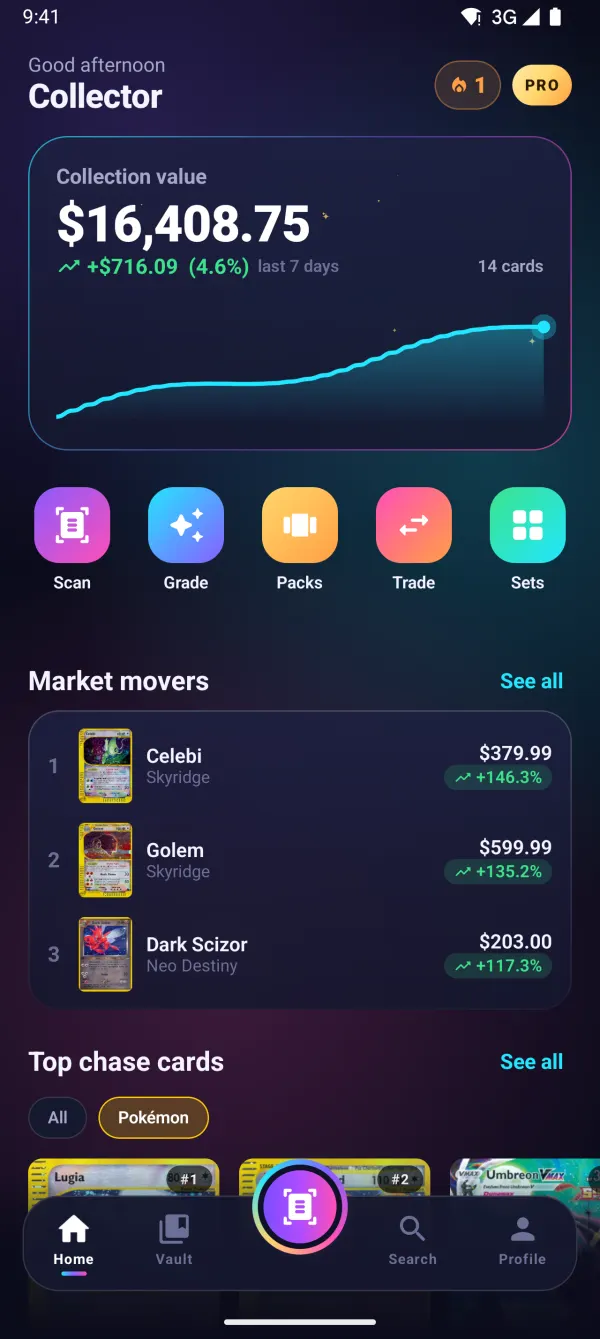
Open a card scanner app, lay the card flat in good light and fit it inside the frame: the camera recognises it from its artwork. Confirm the exact print and version, and you get its market price, its graded values and a place in your collection. Here is the whole process with Foilmon, plus the tricks that make holos, sleeved cards and Japanese prints scan cleanly.
What you need
A phone with a working rear camera, decent light and a card scanner app. Foilmon is on Google Play and on the App Store, for iPhone and iPad. It is free to download, with an optional PRO subscription for the full feature set.
Besides Pokémon cards in English and Japanese, it recognises One Piece, Magic: The Gathering, Yu-Gi-Oh! and Disney Lorcana cards, so a mixed box from the attic is not a problem.
Step by step: your first scan
- Open the scanner and allow the camera. The app needs camera access to see your cards.
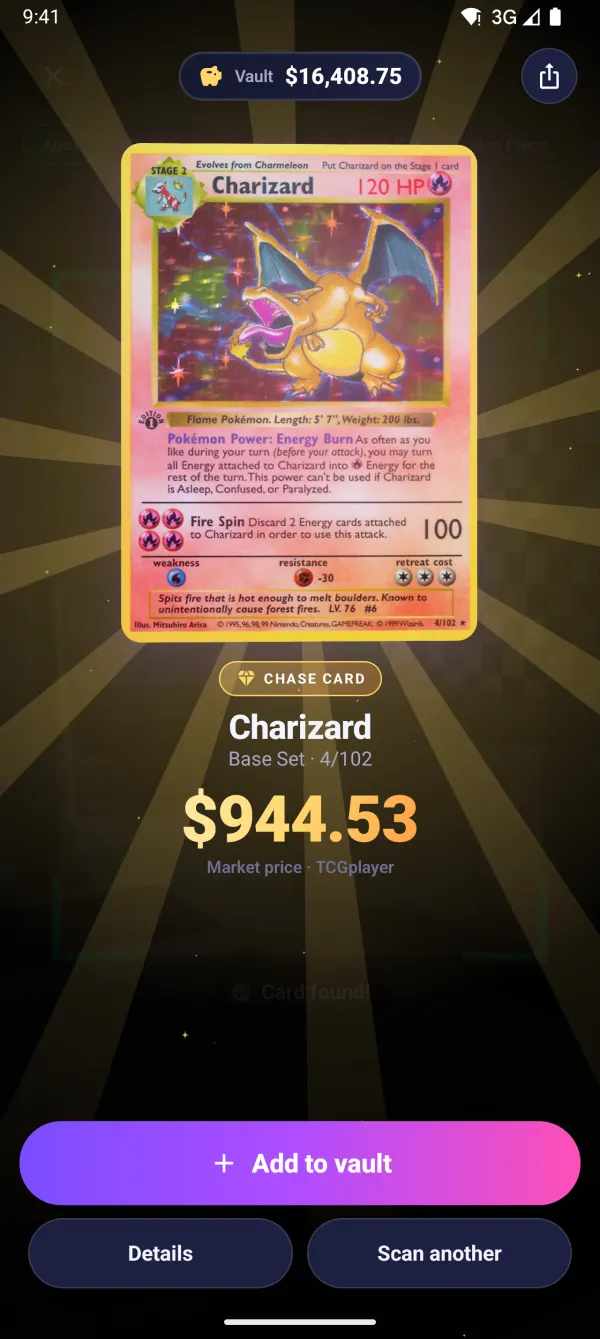
- Fit the card inside the frame. Hold the phone above the card, parallel to it, so the card fills most of the frame. The card is identified from its artwork, so there is nothing to type. If it doesn't lock on, hold steady for a moment, improve the light or tap the capture button.
- Check the match. The result shows the card's name, set and number. Compare that number with the one printed at the bottom of your card: it is the quickest way to confirm you have the right print.
- Pick the version. Many cards exist as 1st Edition and Unlimited, or as Holo and Reverse Holo, and they don't sell for the same price. Choose the one in your hand.
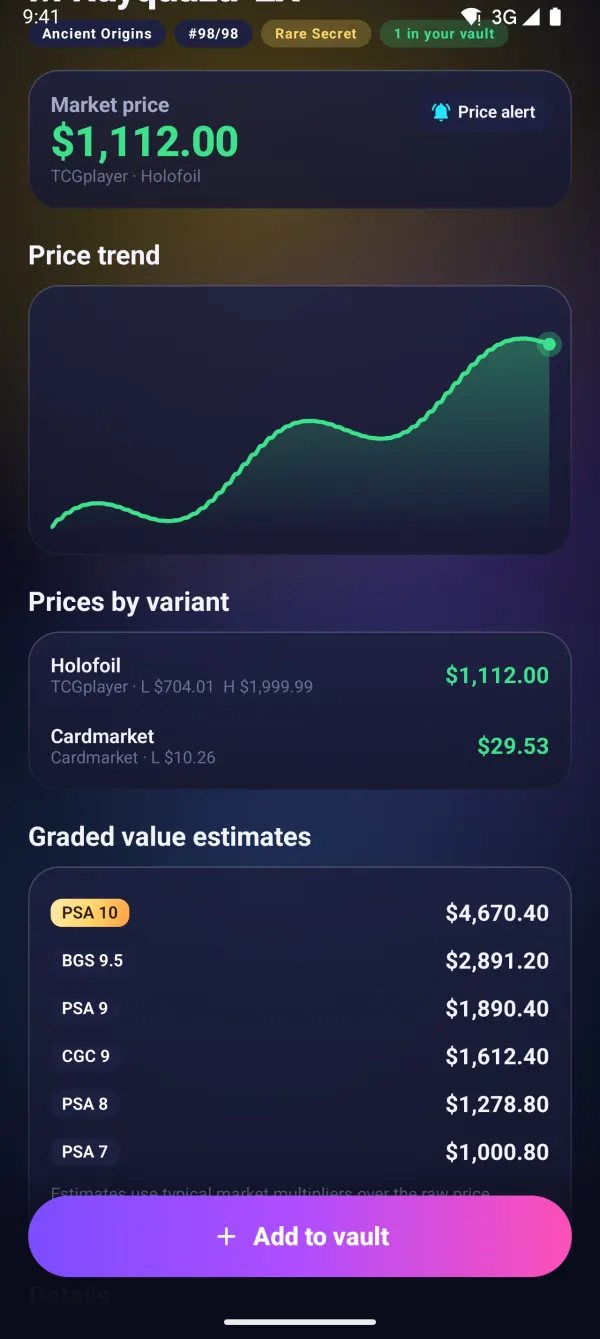
- Read the price. You see TCGplayer and Cardmarket prices, updated daily, the card's price history and estimates for graded copies (PSA, BGS and CGC).
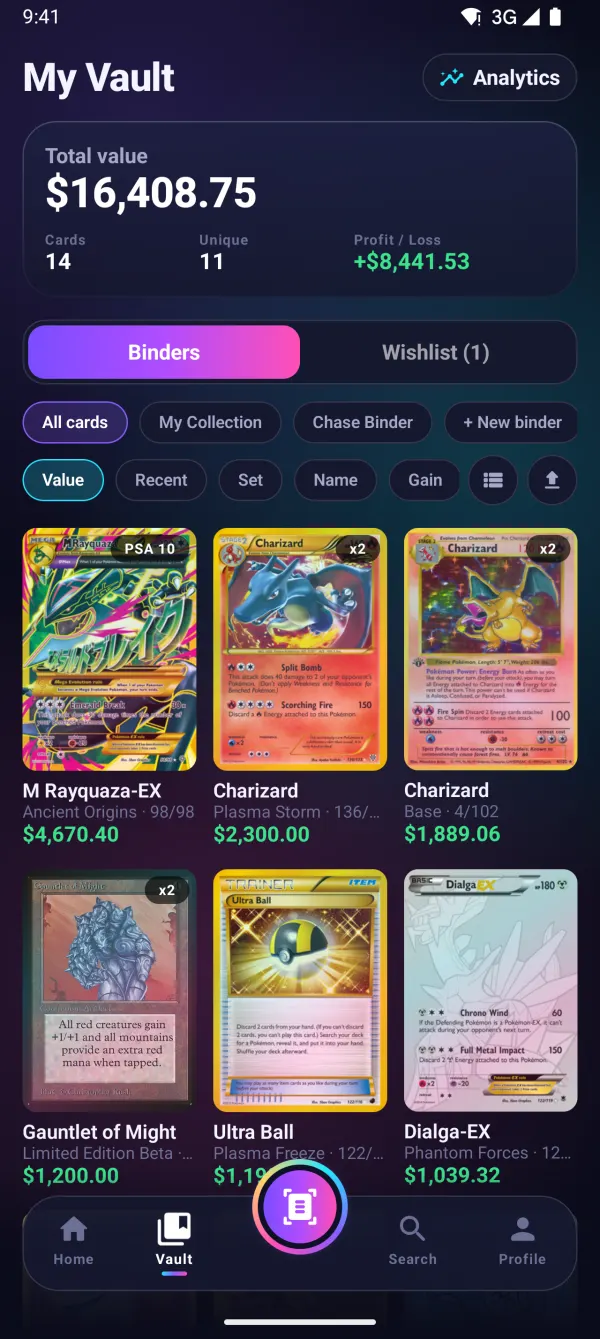
- Add it to your collection. Put it in a binder or on your wishlist. The app adds up the value of everything you own and shows its daily change.
Open the card for more detail: the price trend over time and what graded copies are worth. That second screen is where you decide whether a card is worth sleeving, selling or sending to a grader.
Scan a whole binder with batch mode
One card at a time is fine for a fresh pull. For a binder, a deck box or a shoebox of old cards, use batch scanning: switch the scanner to batch mode, show the cards one after another and add them all to your collection in one go.
- Work one binder page at a time, in the same order every time, so you always know where you stopped.
- Take cards out of thick or scratched binder pockets if the plastic reflects the light.
- Keep a "done" pile apart from the "to scan" pile.
- Glance at each result as it comes in, so a wrong match or version doesn't end up in your totals.
Tips for a clean scan
- Light: soft, even light works best, such as daylight near a window or a ceiling light. Avoid a single lamp right above the card. In a dark room, turn on the flash.
- Glare on holos: holo, full-art and textured cards reflect light. If you see a white patch on the screen, tilt the card or the phone slightly until it goes away.
- Sleeves and toploaders: a clean, thin sleeve is usually fine. Toploaders and magnetic cases add a thicker, shinier layer, so angle them away from the light or take the card out.
- One card in the frame: if two cards are visible, the scanner may lock on the wrong one.
- Flat surface: lay the card on a plain, flat surface that contrasts with its border. A dark desk mat works well for yellow and silver borders.
- Hold still and clean the lens: a smudged lens or a shaky hand causes most blurry results.
Scanning Japanese cards
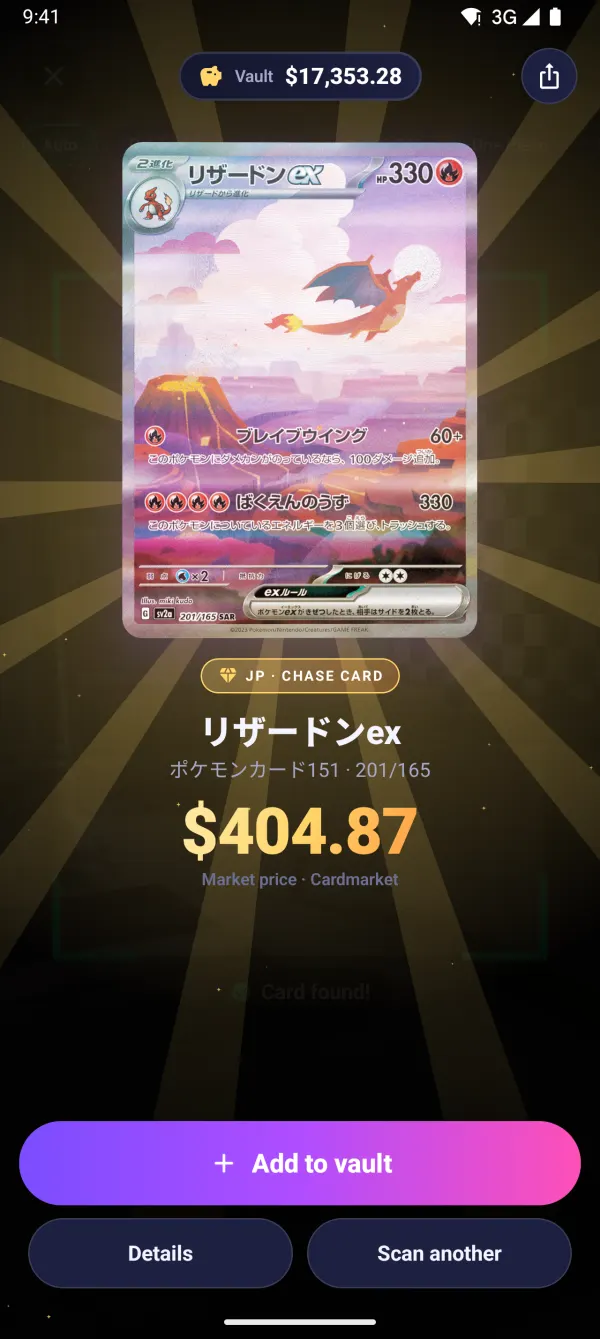
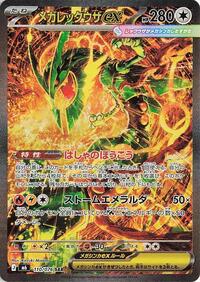
Japanese cards scan the same way. Recognition works from the artwork, so you don't need to read Japanese. When the same illustration exists in English and Japanese, check that the result shows the Japanese print: the set code and card number in the bottom-left corner of your card tell you which one you have. Our guide on Japanese vs English cards explains how to read those marks.
When the scan isn't sure
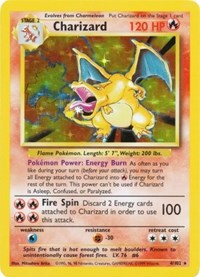
Some cards are hard to tell apart even for people: the same artwork reprinted in a later set, a Pokémon with very similar cards in two expansions, or a card so worn that half the art is gone. Charizard is a good example: the 30th Classic Collection Charizard reuses the artwork of the original Base Set Charizard, which itself exists as 1st Edition, Shadowless and Unlimited prints, all at very different prices.
When the scanner suggests other matches, go through them and compare three things with your card:
- The set symbol or code next to the card number. Our set symbol finder helps if you don't recognise it.
- The card number. Reprints almost always have a different number or set total.
- Finish and stamps: reverse holo or holo, a 1st Edition stamp, a promo mark.
If none of the suggestions is right, scan again with better light, or look the card up by name and number in our card search.
What the price on screen means
The price you see is a market price for an ungraded copy, based on recent sales. It is a guide, not an offer: a worn card sells for less and a high-grade slab for much more. Our guide how much is my Pokémon card worth explains how to turn that number into a realistic value, and our methodology page shows where the prices come from.
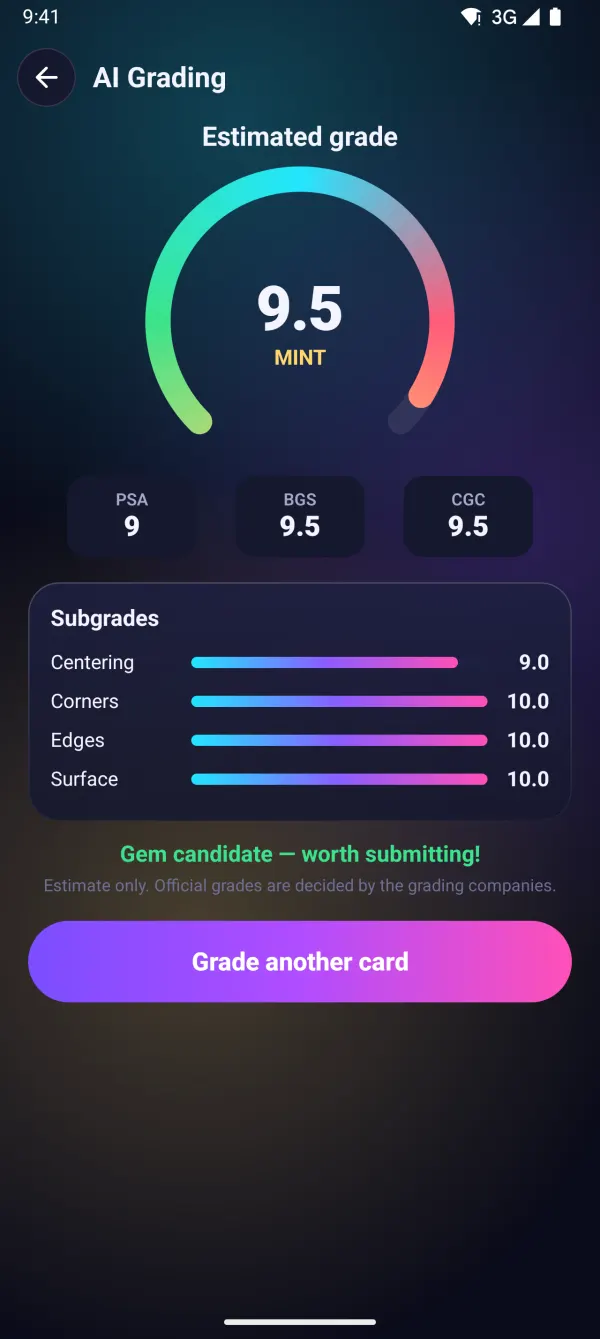
Condition makes the biggest difference. Before paying to grade a card, the app's AI grading check looks at centering, corners, edges and surface from a photo, and our condition guide tells you what each grade means. Once your cards are in, the home screen shows what the whole collection is worth, in USD, EUR, GBP, JPY or another currency.
Frequently asked questions
Can I scan Pokémon cards with my phone camera?
Yes. A scanner app such as Foilmon recognises the card from its artwork through the rear camera and shows its name, set, number and market price, with no typing.
Does scanning work with holo and reverse holo cards?
Yes. Tilt the card slightly if the holo throws glare, then choose the right version (Holo, Reverse Holo, 1st Edition or Unlimited), because each one has its own price.
Can I scan cards inside sleeves or toploaders?
A clean, thin sleeve is usually fine. Toploaders and magnetic cases reflect more light, so angle them away from the lamp or take the card out if the scan doesn't lock on.
Can I scan Japanese Pokémon cards?
Yes. Foilmon recognises Japanese Pokémon cards by their artwork, so you don't need to read Japanese. Check the set code in the corner to confirm the Japanese print.
Does scanning tell me my card's condition?
A scan identifies the card and its price. The separate AI grading check estimates centering, corners, edges and surface from a photo; it is a guide, not a grade from PSA, BGS or CGC.
Related guides
 Card valuesHow much is my Pokémon card worth?How much is my Pokémon card worth? Identify the exact print, check its condition and compare recent sold prices, raw or graded, in a few minutes.Scanning cardsBest Pokémon card scanner app in 2026: a buyer's checklistHow to choose the best Pokémon card scanner app in 2026: accuracy, Japanese cards, price sources, graded values, batch scanning, offline use and privacy.
 Collecting basicsPokémon card condition: how to judge your cards like a sellerPokémon card condition guide: what Near Mint, Lightly Played, Moderately Played, Heavily Played and Damaged mean, what to inspect and how to store cards.
 Japanese cardsJapanese vs English Pokémon cards: what actually differsJapanese vs English Pokémon cards: release timing, set sizes, 5-card packs, rarity names (AR, SAR, MUR), quality, prices and how to identify the set.